Product matching
Overview
Product Matching enables retailers to identify exact and similar product matches across a predefined custom product set, unlocking geographic pricing and assortment decisions, price automation capabilities, and replenishment actions.
Product Matching existed in EDITED's legacy Market platform. My role was to re-platform it into myEDITED with two goals: migrate existing users away from the legacy application, and use the re-platform as an opportunity to meaningfully improve the product. I led the design of the entire module.
Management screen
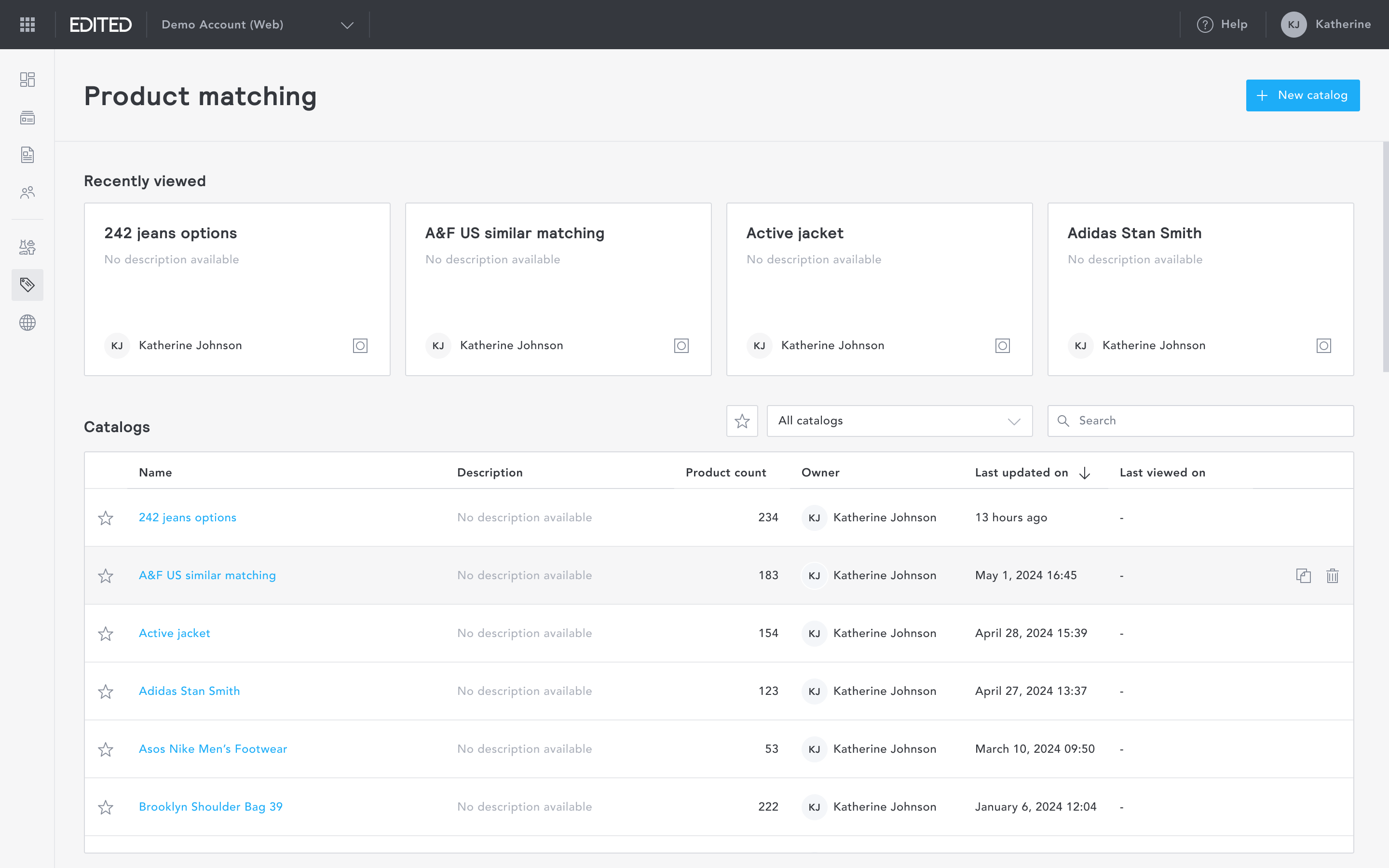
The management screen gives users an overview of all catalogs they have created. From here, users can create a new catalog or resume reviewing an existing one.
Creating a new catalog
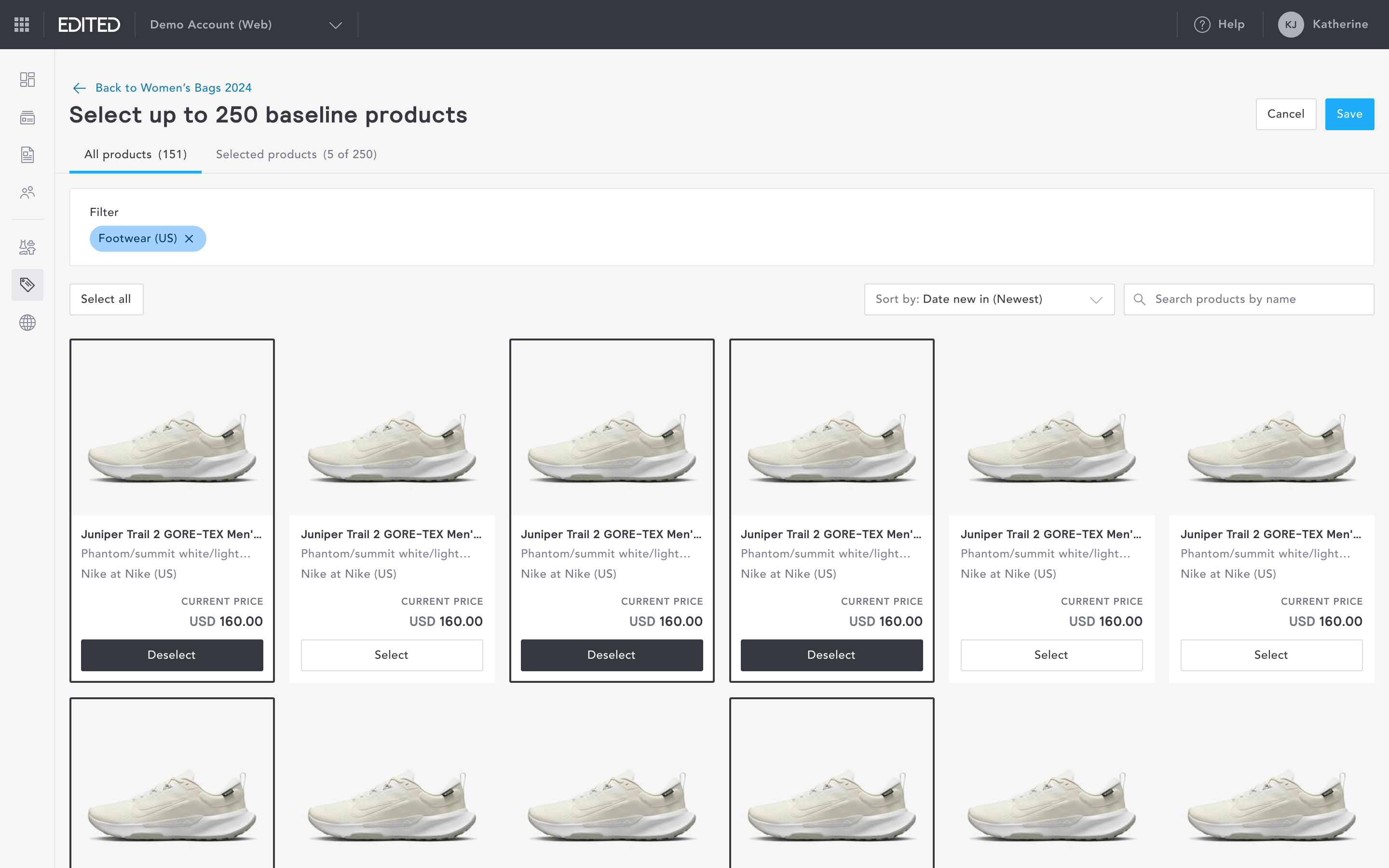
In the legacy platform, catalog creation was a single, dense configuration screen that required users to understand the full scope of the tool before they could begin. This created a steep learning curve, particularly for newer users, and regularly led to misconfigured catalogs.
I redesigned the catalog creation experience as a guided flow with descriptive copy at every step, ensuring users always understood what they were doing and what came next.
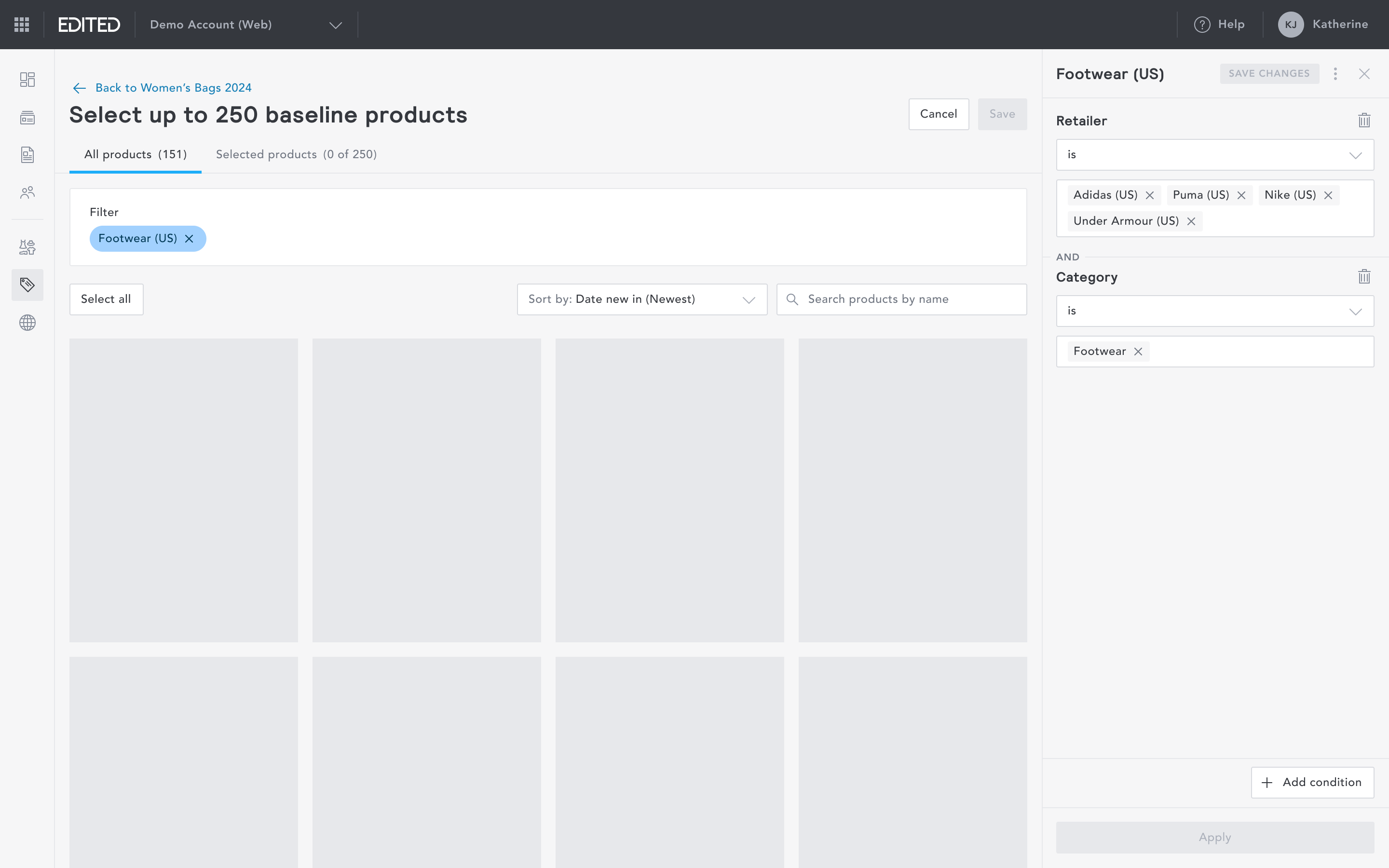
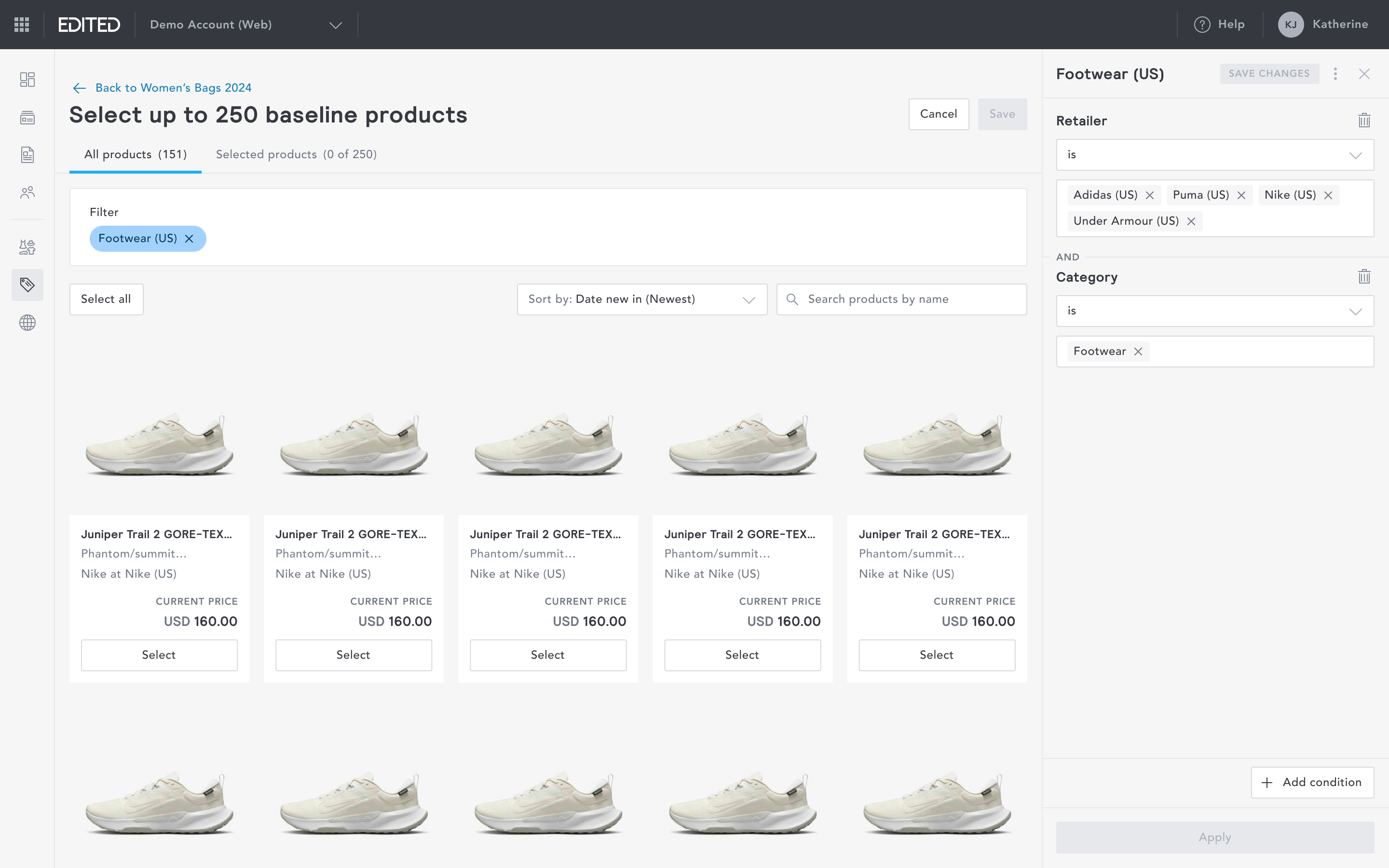
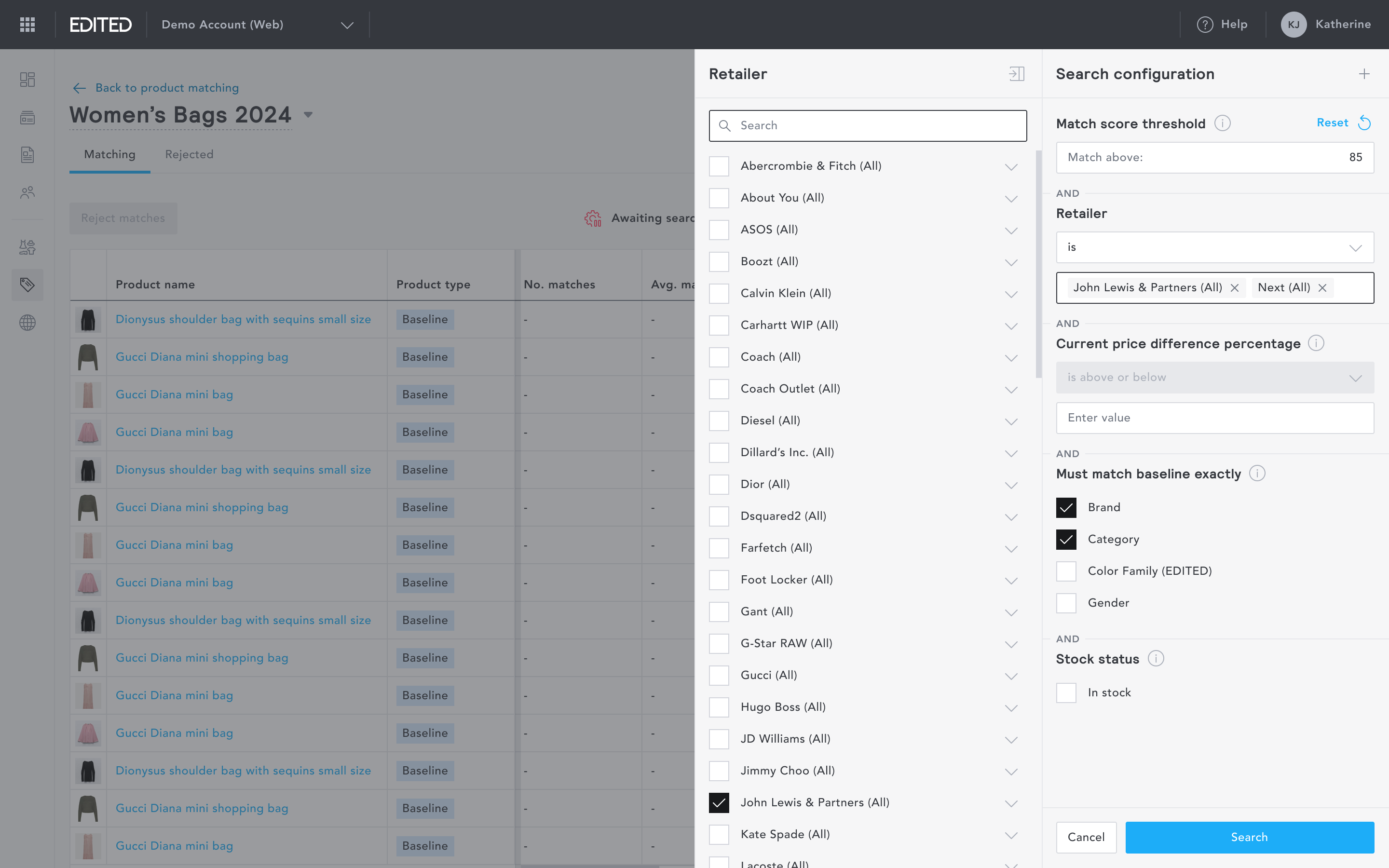
After a catalog is created, users define the matching criteria before processing begins.
Reviewing matches
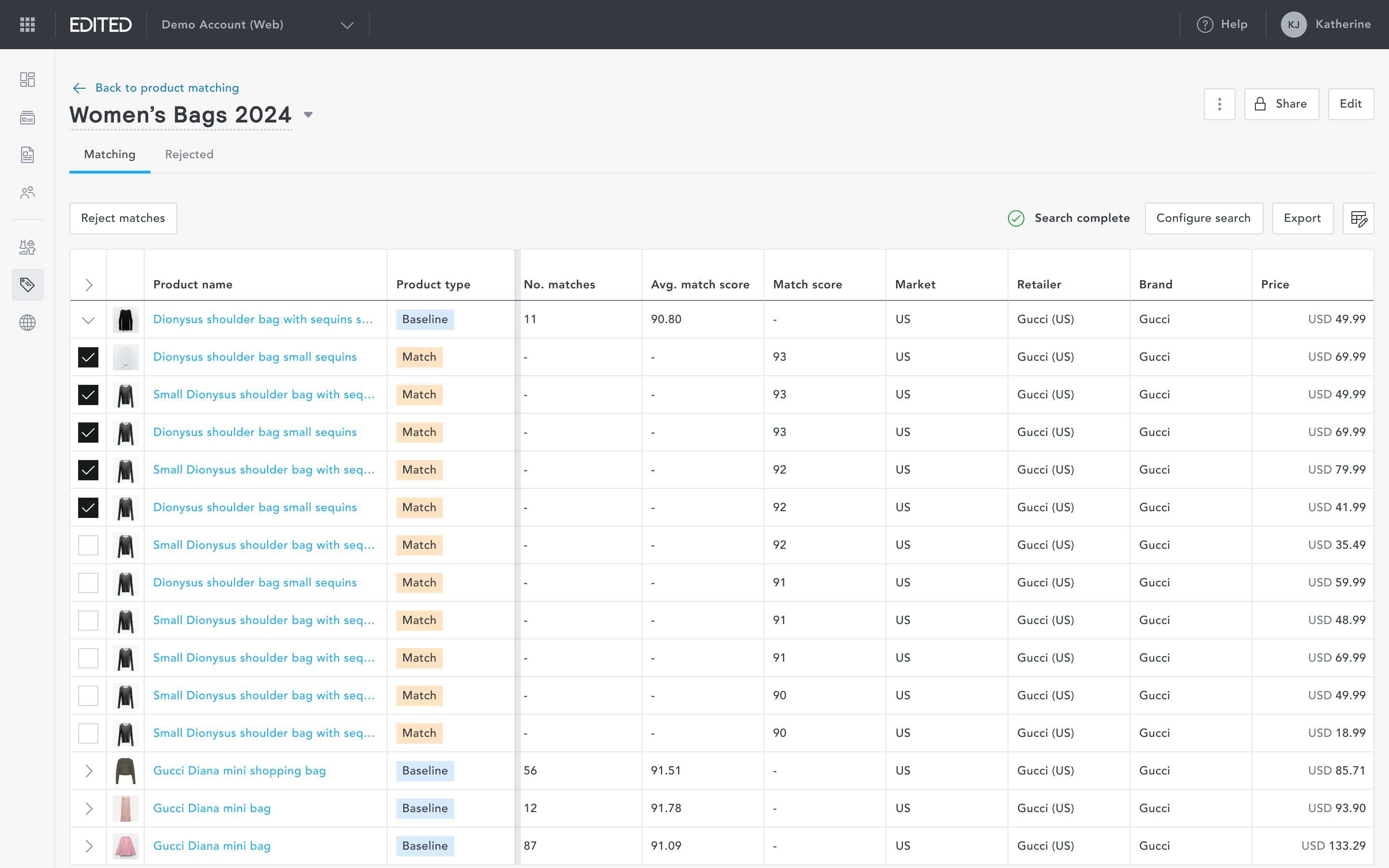
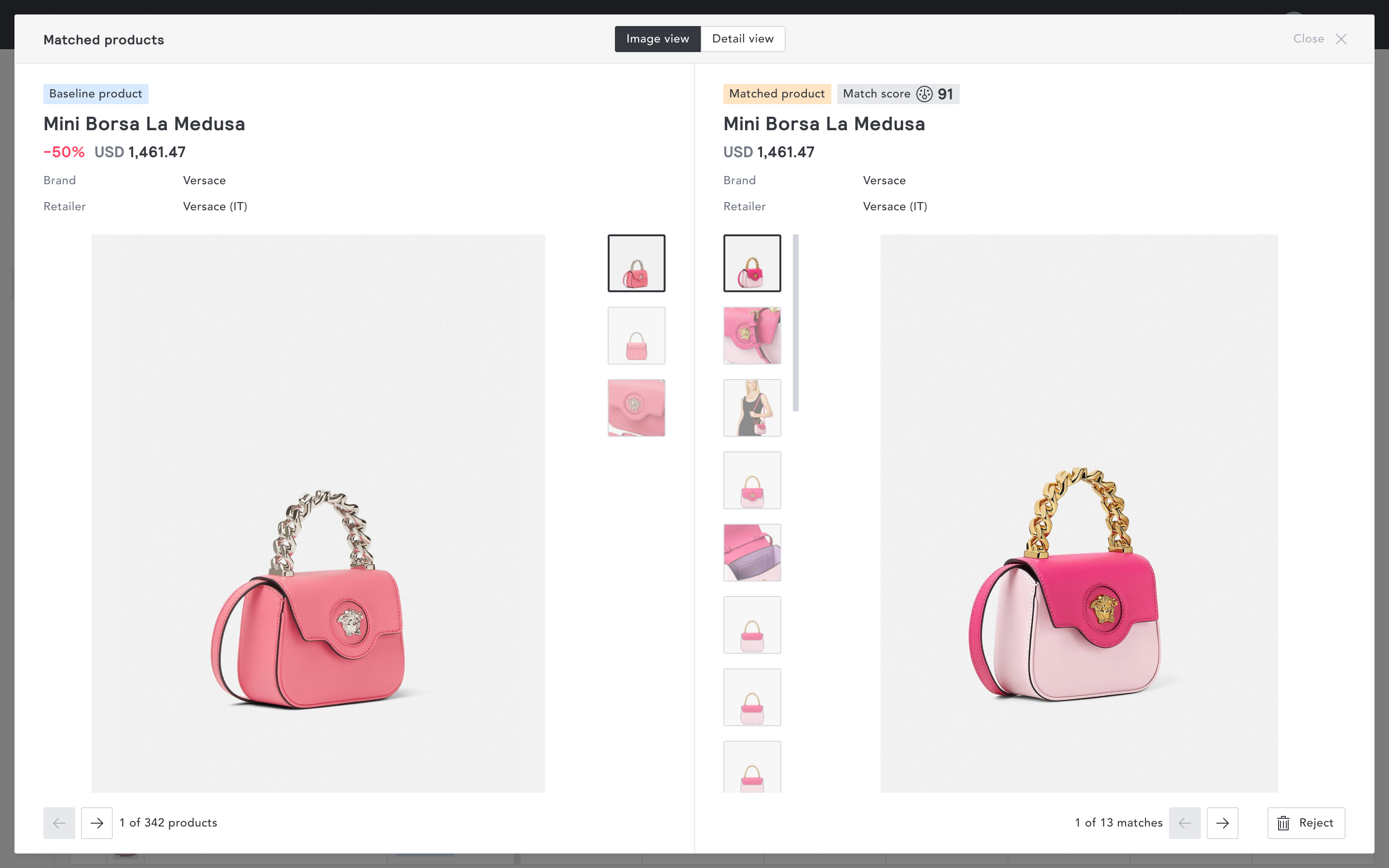
Once a catalog is processed, users are presented with a list of candidate matches for each baseline product. Each match is displayed with an AI-generated match score and several metrics including, but not limited to the market, retailer, and price.
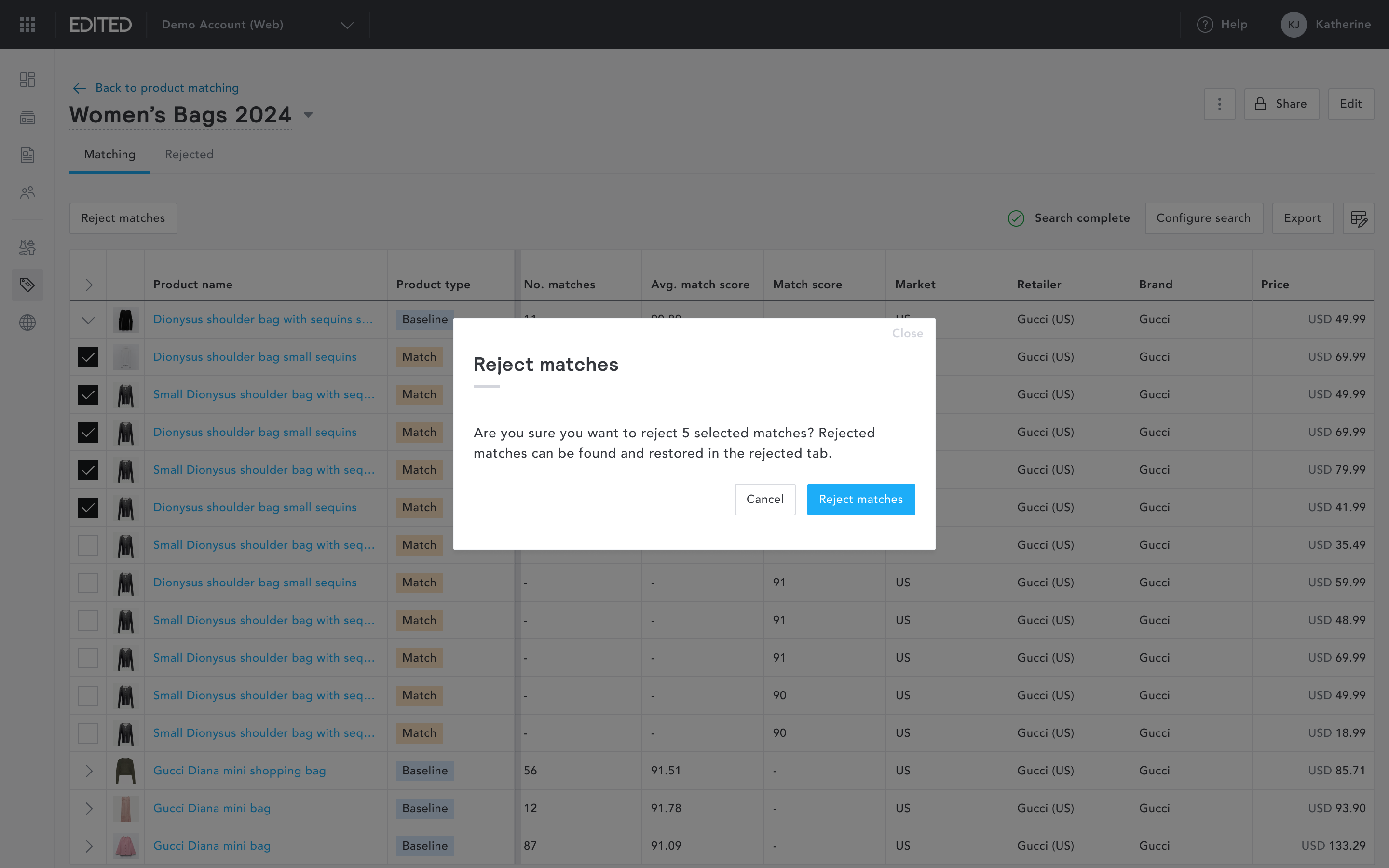
The match review experience was rebuilt for speed. In the legacy version, users had to act on matches one at a time. In myEDITED, I introduced bulk reject and restore actions, allowing users to process large volumes of matches in a single action. This significantly reduced the time required to move from raw results to a clean, curated catalog.
Users can still review matches individually when needed.
Shared catalog
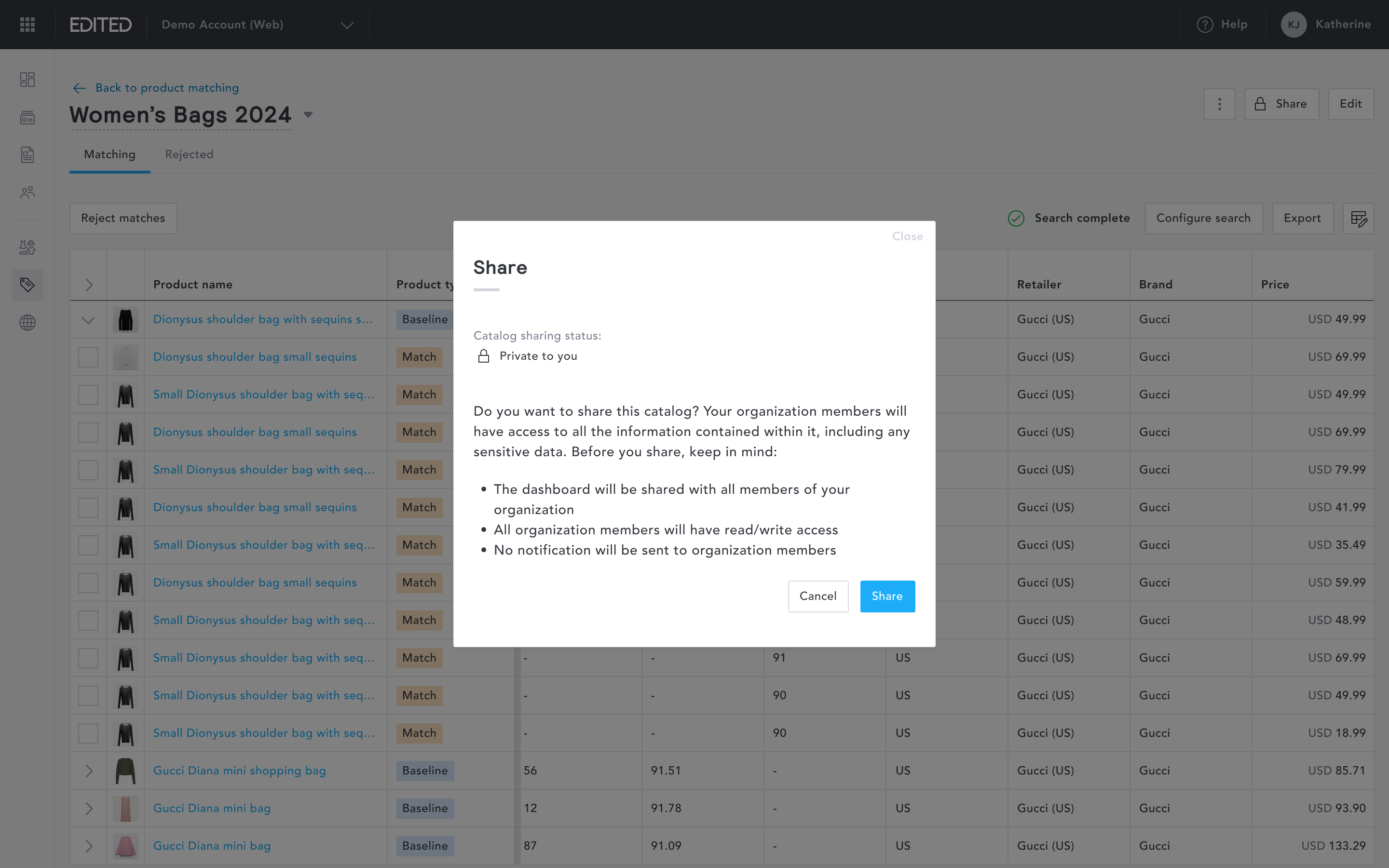
A key capability missing from the legacy platform was collaboration. Catalogs were tied to individual users, which meant insights couldn't easily be shared across teams. In myEDITED, users can now share any catalog with members of their organisation.
Impact
The re-platform of Product Matching drove a measurable increase in usage within myEDITED, contributed to reducing drop-off from the legacy platform, and improved match accuracy through enhanced search configuration controls. A simpler catalog creation experience, faster review workflows, and an improved matching algorithm combined to make the re-platformed Product Matching module a meaningfully better product.
Product matching
Overview
Product Matching enables retailers to identify exact and similar product matches across a predefined custom product set, unlocking geographic pricing and assortment decisions, price automation capabilities, and replenishment actions.
Product Matching existed in EDITED's legacy Market platform. My role was to re-platform it into myEDITED with two goals: migrate existing users away from the legacy application, and use the re-platform as an opportunity to meaningfully improve the product. I led the design of the entire module.
Management screen
The management screen gives users an overview of all catalogs they have created. From here, users can create a new catalog or resume reviewing an existing one.
Creating a new catalog
In the legacy platform, catalog creation was a single, dense configuration screen that required users to understand the full scope of the tool before they could begin. This created a steep learning curve, particularly for newer users, and regularly led to misconfigured catalogs.
I redesigned the catalog creation experience as a guided flow with descriptive copy at every step, ensuring users always understood what they were doing and what came next.
After a catalog is created, users define the matching criteria before processing begins.
Reviewing matches
Once a catalog is processed, users are presented with a list of candidate matches for each baseline product. Each match is displayed with an AI-generated match score and several metrics including, but not limited to the market, retailer, and price.
The match review experience was rebuilt for speed. In the legacy version, users had to act on matches one at a time. In myEDITED, I introduced bulk reject and restore actions, allowing users to process large volumes of matches in a single action. This significantly reduced the time required to move from raw results to a clean, curated catalog.
Users can still review matches individually when needed.
Shared catalog
A key capability missing from the legacy platform was collaboration. Catalogs were tied to individual users, which meant insights couldn't easily be shared across teams. In myEDITED, users can now share any catalog with members of their organisation.
Impact
The re-platform of Product Matching drove a measurable increase in usage within myEDITED, contributed to reducing drop-off from the legacy platform, and improved match accuracy through enhanced search configuration controls. A simpler catalog creation experience, faster review workflows, and an improved matching algorithm combined to make the re-platformed Product Matching module a meaningfully better product.
Product matching
Overview
Product Matching enables retailers to identify exact and similar product matches across a predefined custom product set, unlocking geographic pricing and assortment decisions, price automation capabilities, and replenishment actions.
Product Matching existed in EDITED's legacy Market platform. My role was to re-platform it into myEDITED with two goals: migrate existing users away from the legacy application, and use the re-platform as an opportunity to meaningfully improve the product. I led the design of the entire module.
Management screen
The management screen gives users an overview of all catalogs they have created. From here, users can create a new catalog or resume reviewing an existing one.
Creating a new catalog
In the legacy platform, catalog creation was a single, dense configuration screen that required users to understand the full scope of the tool before they could begin. This created a steep learning curve, particularly for newer users, and regularly led to misconfigured catalogs.
I redesigned the catalog creation experience as a guided flow with descriptive copy at every step, ensuring users always understood what they were doing and what came next.
After a catalog is created, users define the matching criteria before processing begins.
Reviewing matches
Once a catalog is processed, users are presented with a list of candidate matches for each baseline product. Each match is displayed with an AI-generated match score and several metrics including, but not limited to the market, retailer, and price.
The match review experience was rebuilt for speed. In the legacy version, users had to act on matches one at a time. In myEDITED, I introduced bulk reject and restore actions, allowing users to process large volumes of matches in a single action. This significantly reduced the time required to move from raw results to a clean, curated catalog.
Users can still review matches individually when needed.
Shared catalog
A key capability missing from the legacy platform was collaboration. Catalogs were tied to individual users, which meant insights couldn't easily be shared across teams. In myEDITED, users can now share any catalog with members of their organisation.
Impact
The re-platform of Product Matching drove a measurable increase in usage within myEDITED, contributed to reducing drop-off from the legacy platform, and improved match accuracy through enhanced search configuration controls. A simpler catalog creation experience, faster review workflows, and an improved matching algorithm combined to make the re-platformed Product Matching module a meaningfully better product.