Pricing opportunities
Overview
Pricing opportunities are powered by EDITED's AI to automatically identify groups of products that might benefit from a price increase or decrease. This was a novel solution by EDITED. I led the design of the entire module, collaborating with the product manager, data scientists, and engineers. Over the period of this project, I lead several discovery sessions with users to garner feedback.
Here are some key parts of the project:
Management screen
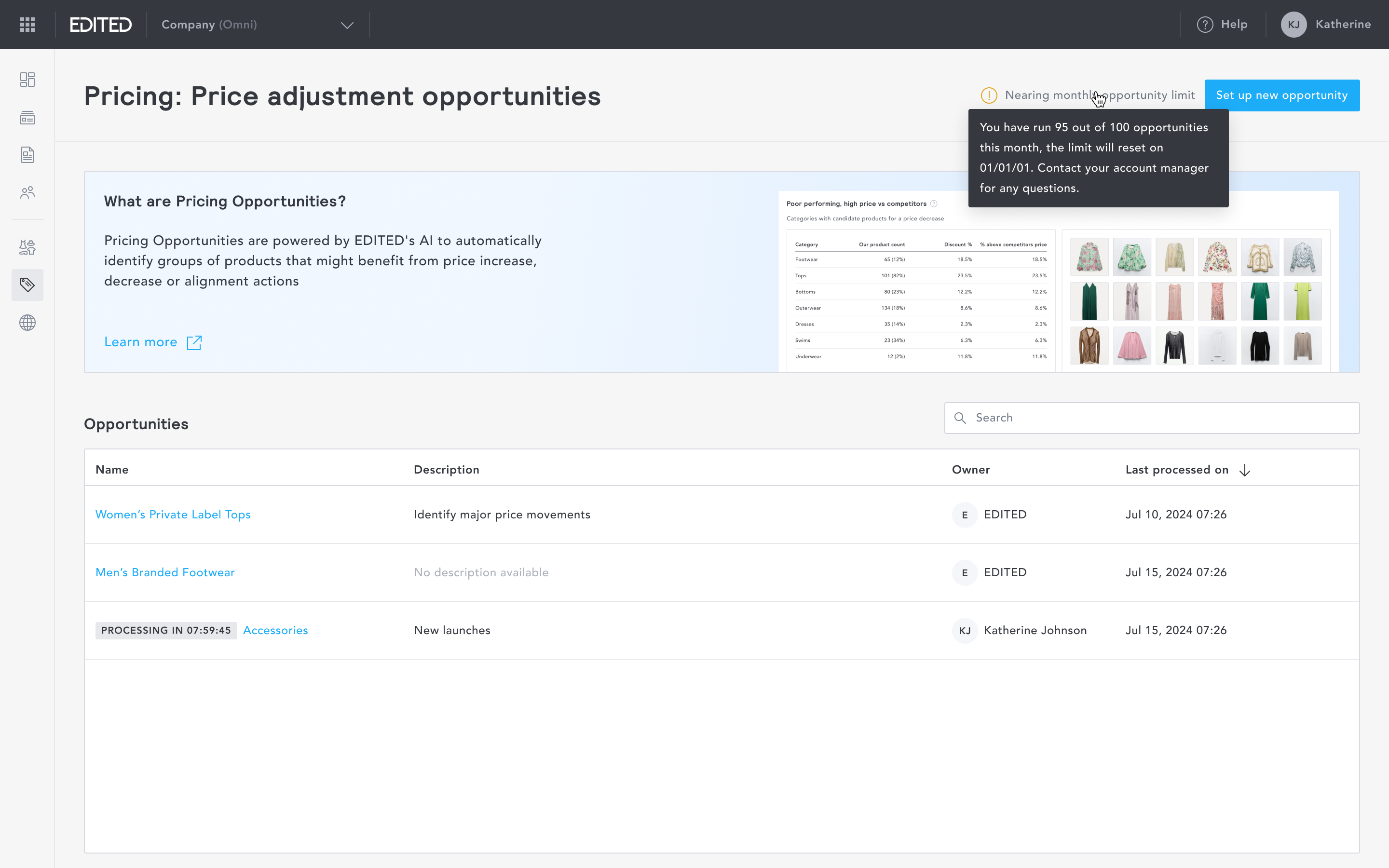
The management screen gives users an overview of every pricing opportunity that has been created and run. It is a single place to see what's active, what's processing, and what's ready to act on.
Opportunity setup wizard
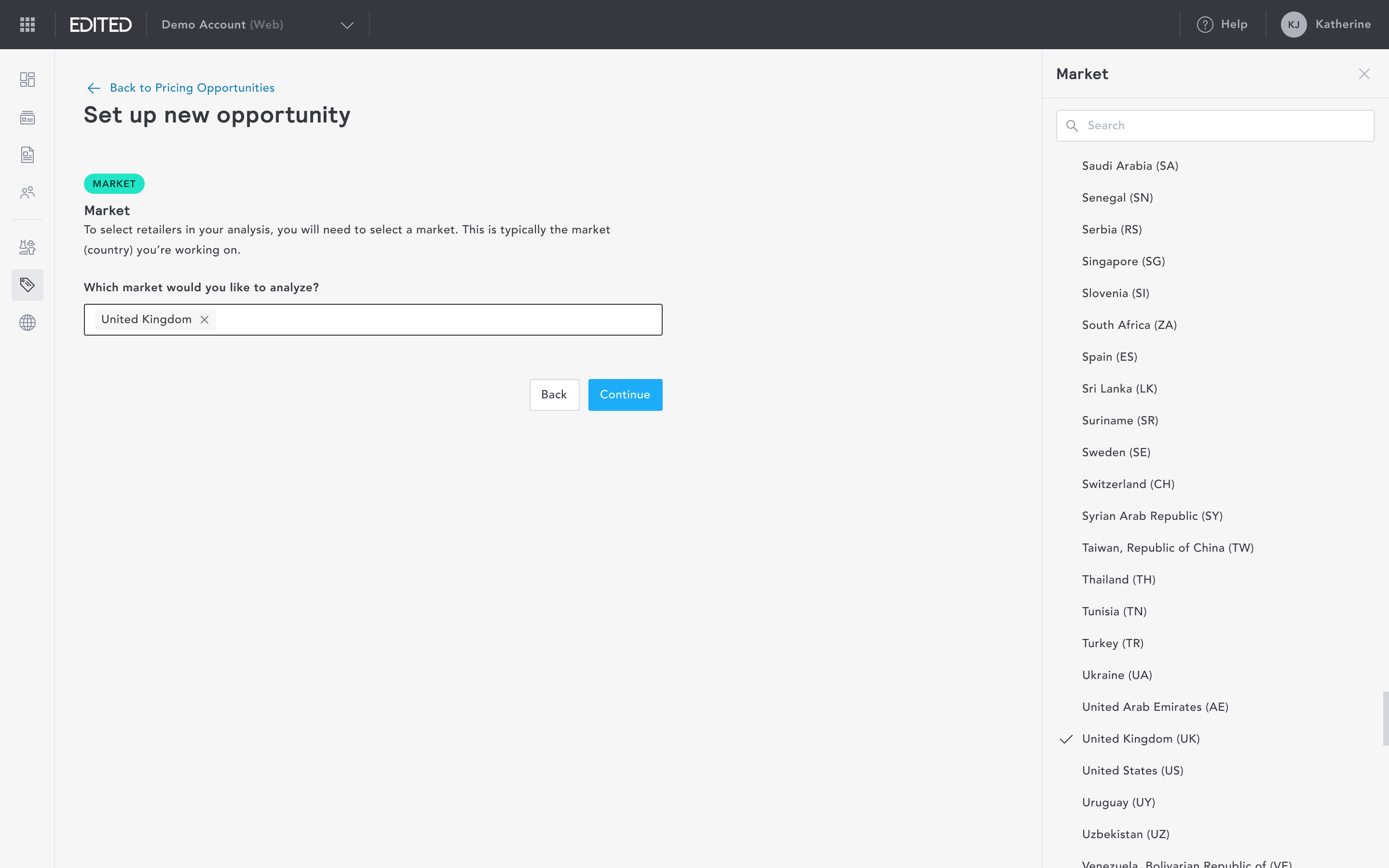
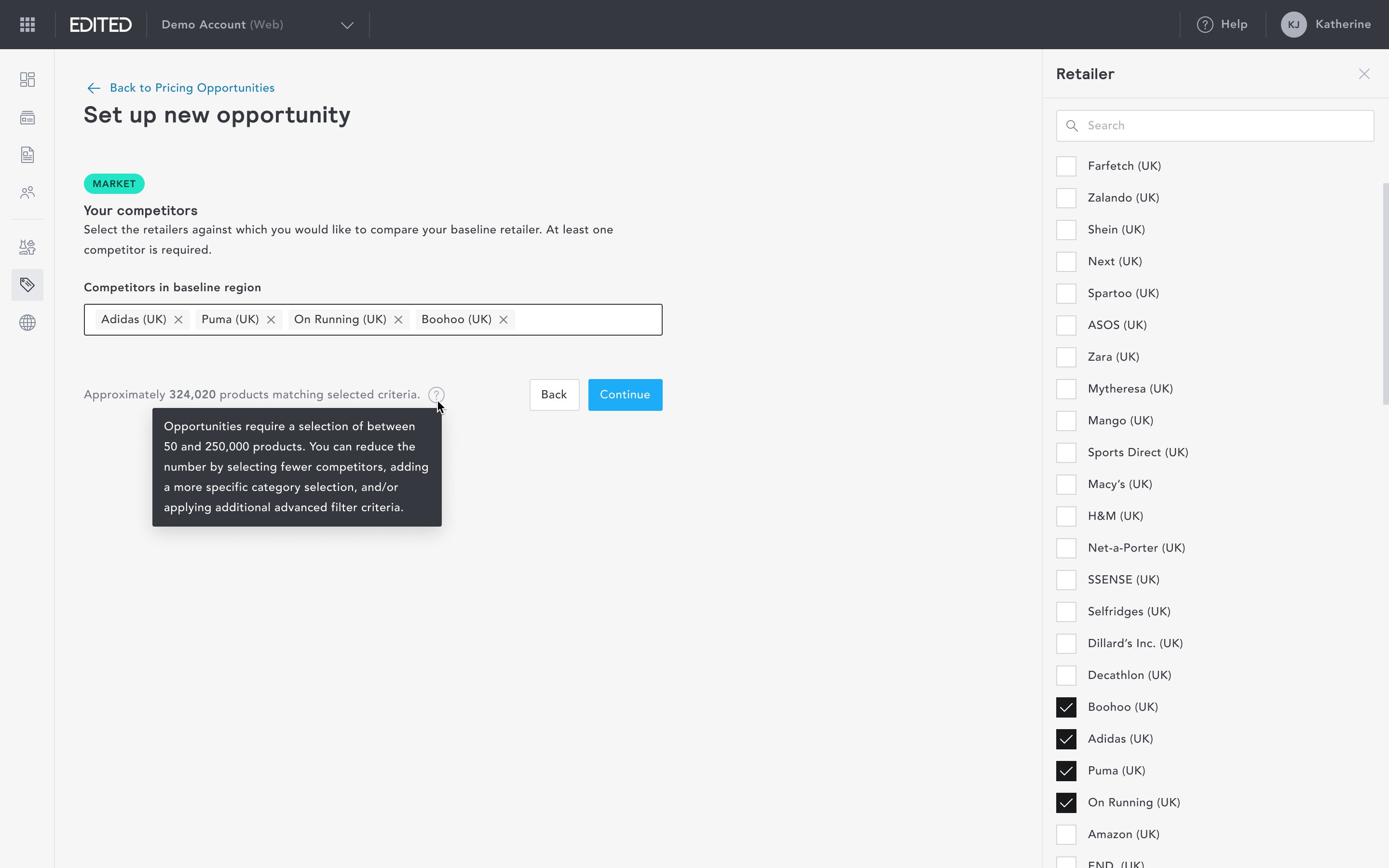
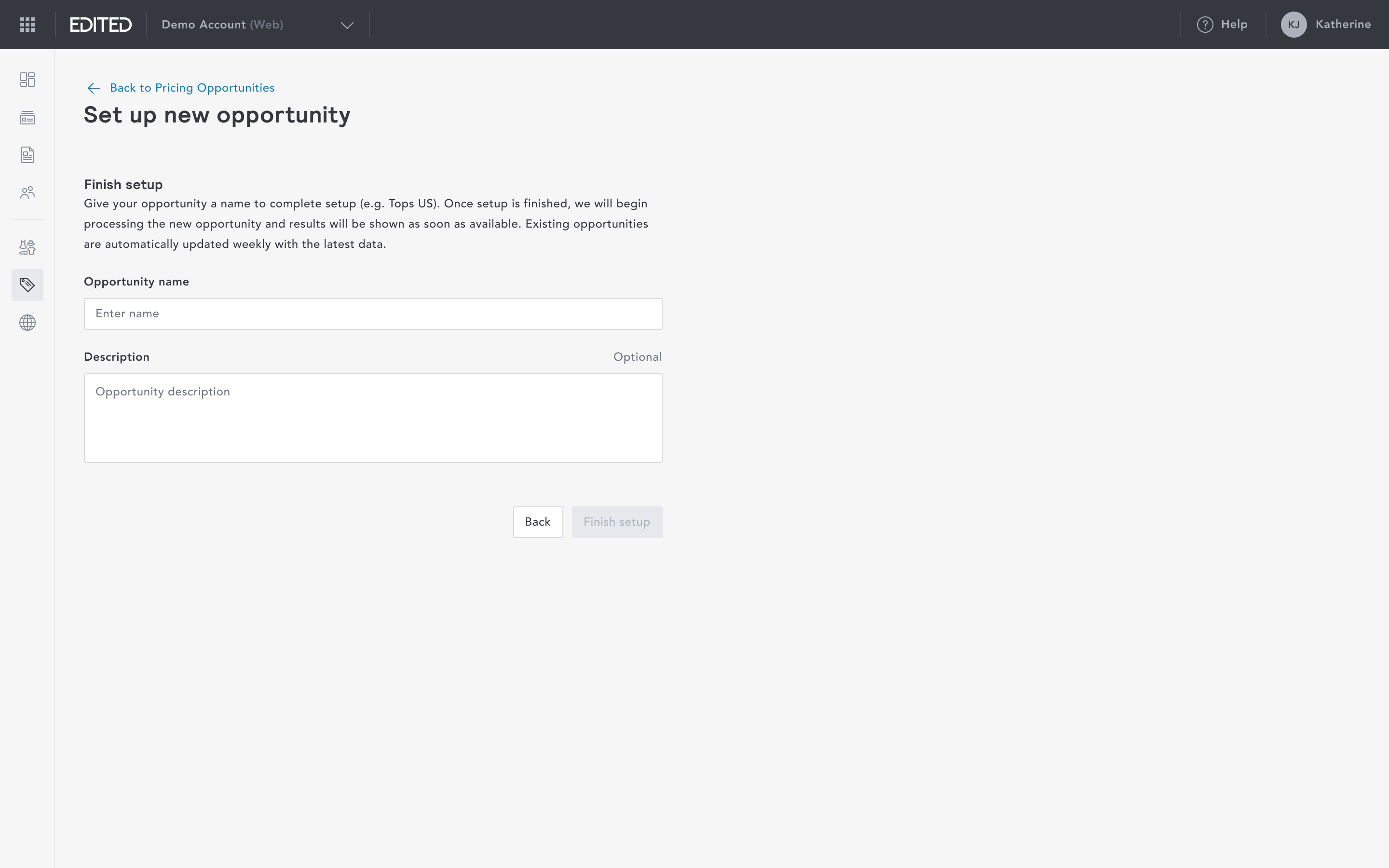
To set up a pricing opportunity, users input the market, baseline retailer, competitors, and any additional criteria. I intentionally broke the creation process down into its smallest steps, so that anyone, regardless of familiarity with the data, can configure an opportunity without friction.
Viewing an opportunity
Each opportunity surfaces products grouped by recommended action. Two signals are available: Increase (for top-performing products priced lower than competitors) and Decrease, (for struggling products priced higher than competitors).
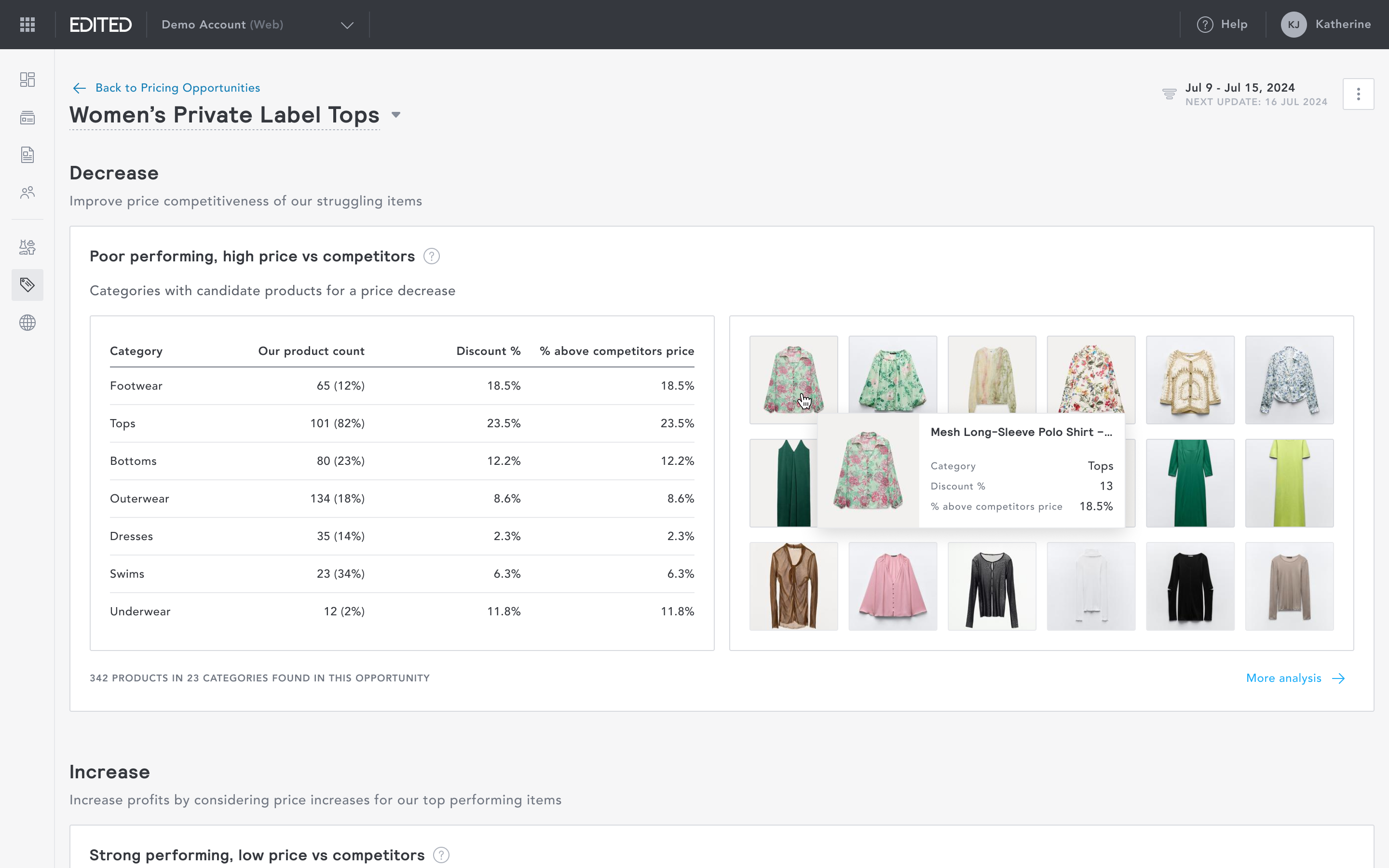
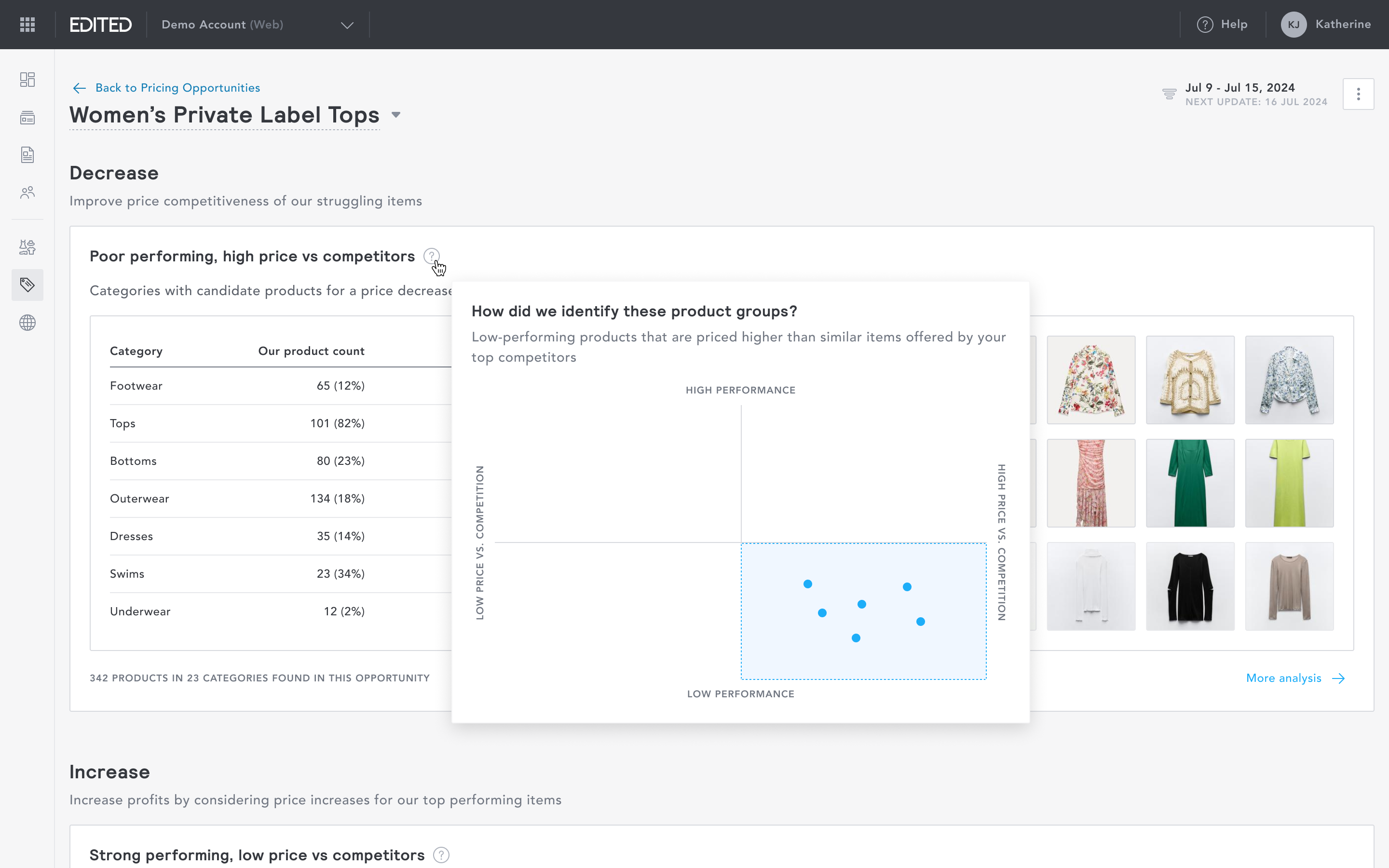
It was particularly challenging to visualise simply the complexity of the logic behind the recommendations. However, it was most necessary that users are able to understand quickly and easily how the product groups were identified.
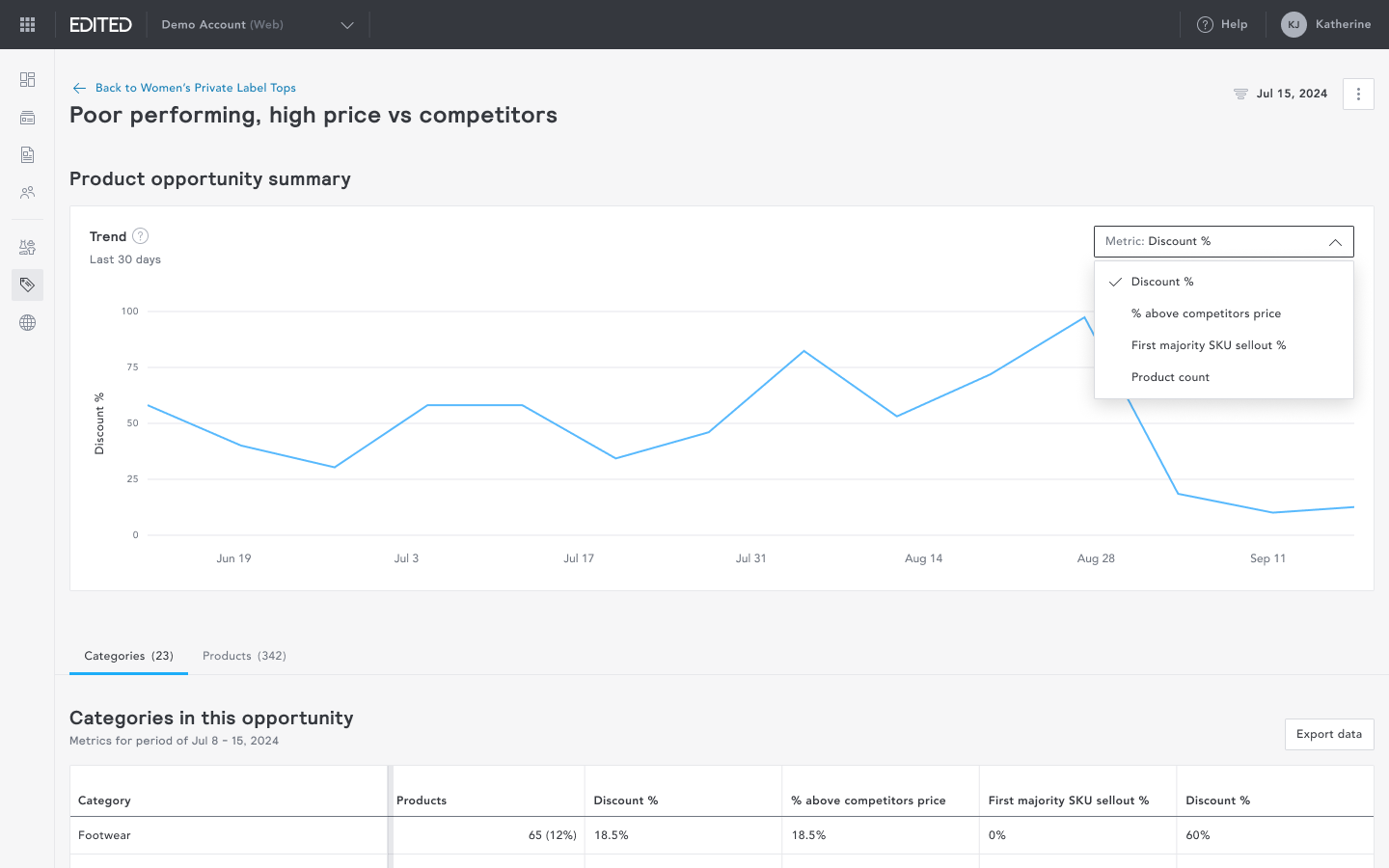
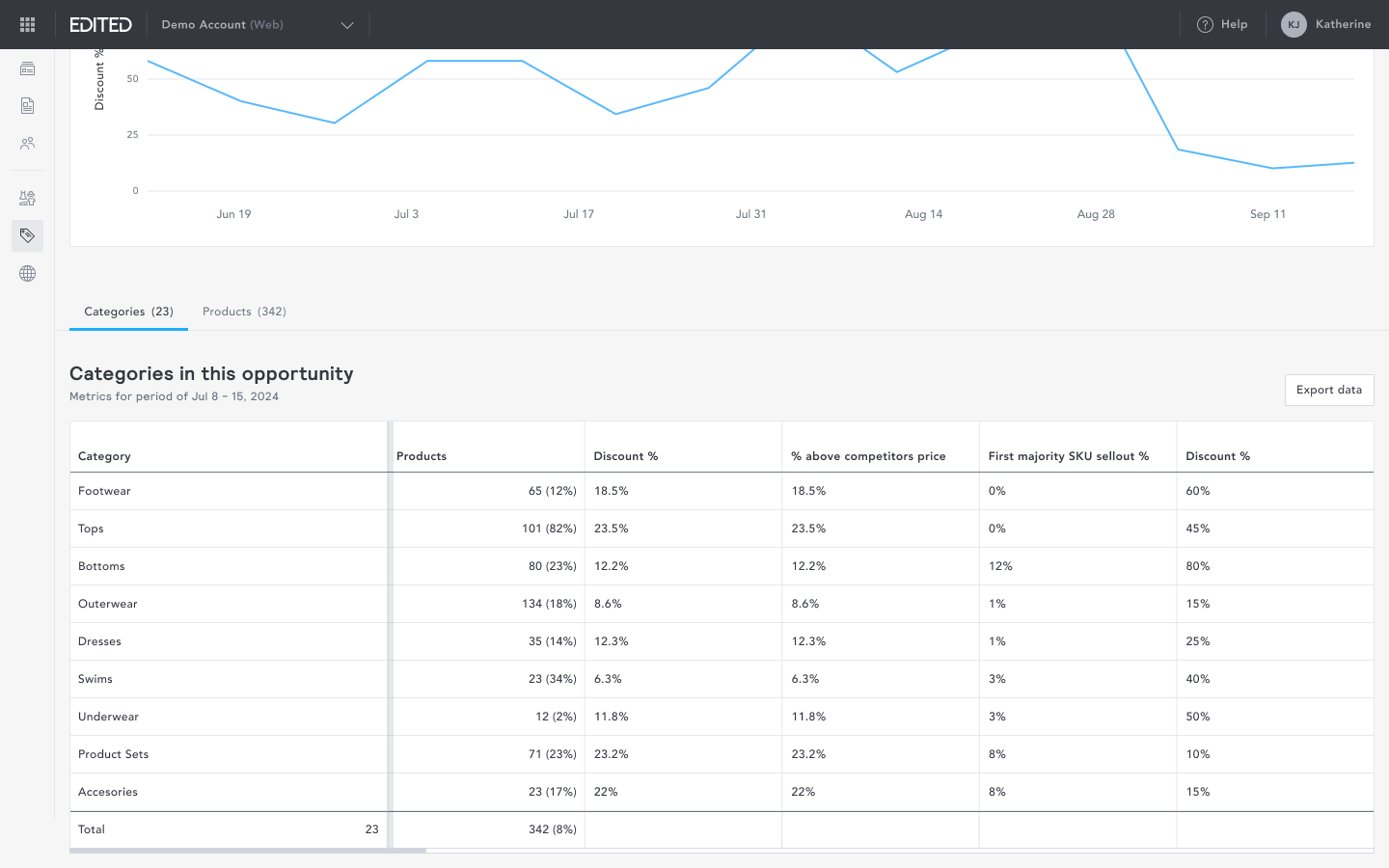
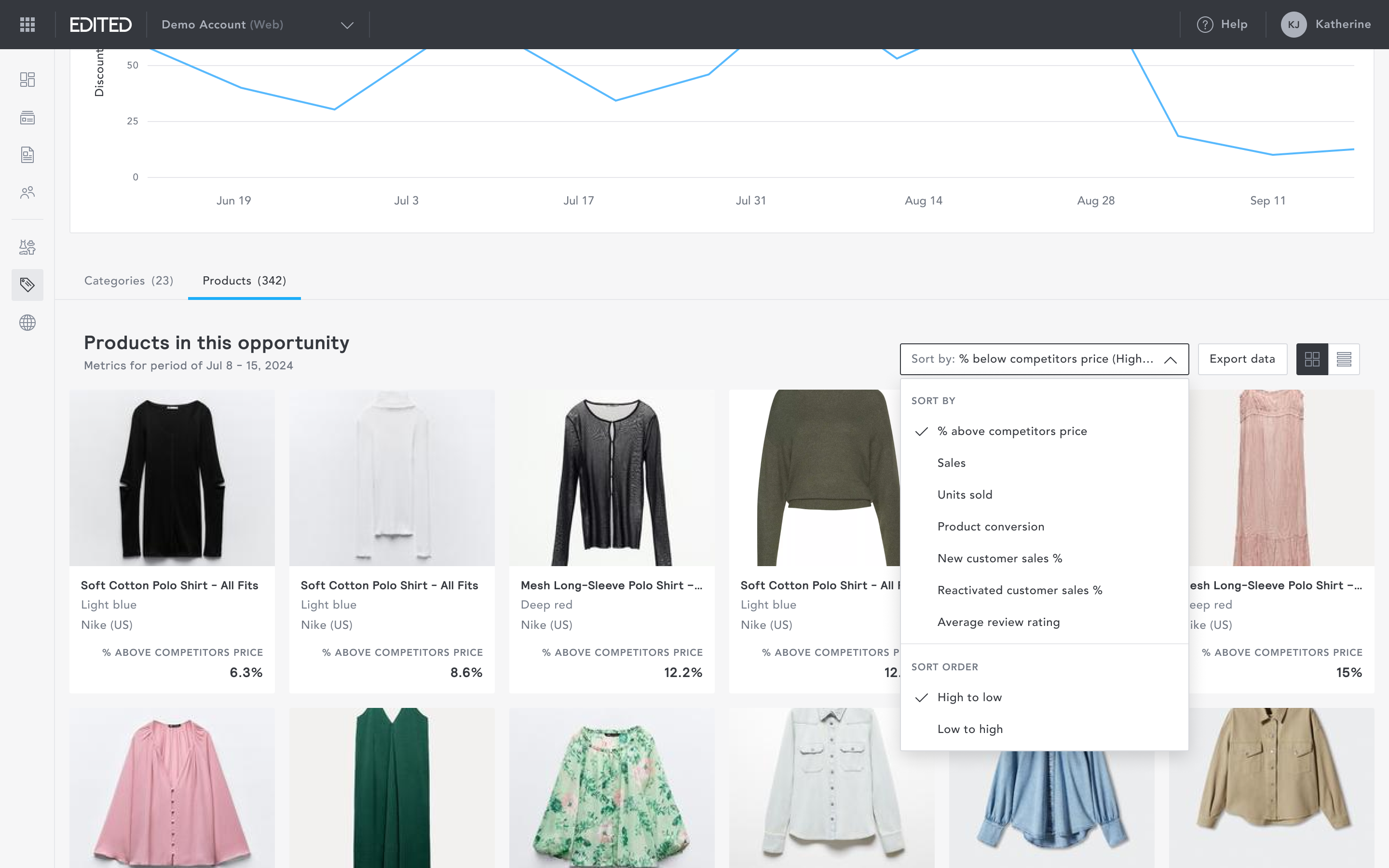
Feedback from users was beyond the logic, they needed to see the all the data we were pulling. Drilling further into an increase or decrease recommendation surfaces all the data behind the opportunity. I introduced multiple views for showing the data, a performance trend, a category level view and a product level view with each having its own unique controls. This helped build more trust in the recommendations.
Pricing opportunities
Overview
Pricing opportunities are powered by EDITED's AI to automatically identify groups of products that might benefit from a price increase or decrease. This was a novel solution by EDITED. I led the design of the entire module, collaborating with the product manager, data scientists, and engineers. Over the period of this project, I lead several discovery sessions with users to garner feedback.
Here are some key parts of the project:
Management screen
The management screen gives users an overview of every pricing opportunity that has been created and run. It is a single place to see what's active, what's processing, and what's ready to act on.
Opportunity setup wizard
To set up a pricing opportunity, users input the market, baseline retailer, competitors, and any additional criteria. I intentionally broke the creation process down into its smallest steps, so that anyone, regardless of familiarity with the data, can configure an opportunity without friction.
Viewing an opportunity
Each opportunity surfaces products grouped by recommended action. Two signals are available: Increase (for top-performing products priced lower than competitors) and Decrease, (for struggling products priced higher than competitors).
It was particularly challenging to visualise simply the complexity of the logic behind the recommendations. However, it was most necessary that users are able to understand quickly and easily how the product groups were identified.
Feedback from users was beyond the logic, they needed to see the all the data we were pulling. Drilling further into an increase or decrease recommendation surfaces all the data behind the opportunity. I introduced multiple views for showing the data, a performance trend, a category level view and a product level view with each having its own unique controls. This helped build more trust in the recommendations.
Pricing opportunities
Overview
Pricing opportunities are powered by EDITED's AI to automatically identify groups of products that might benefit from a price increase or decrease. This was a novel solution by EDITED. I led the design of the entire module, collaborating with the product manager, data scientists, and engineers. Over the period of this project, I lead several discovery sessions with users to garner feedback.
Here are some key parts of the project:
Management screen
The management screen gives users an overview of every pricing opportunity that has been created and run. It is a single place to see what's active, what's processing, and what's ready to act on.
Opportunity setup wizard
To set up a pricing opportunity, users input the market, baseline retailer, competitors, and any additional criteria. I intentionally broke the creation process down into its smallest steps, so that anyone, regardless of familiarity with the data, can configure an opportunity without friction.
Viewing an opportunity
Each opportunity surfaces products grouped by recommended action. Two signals are available: Increase (for top-performing products priced lower than competitors) and Decrease, (for struggling products priced higher than competitors).
It was particularly challenging to visualise simply the complexity of the logic behind the recommendations. However, it was most necessary that users are able to understand quickly and easily how the product groups were identified.
Feedback from users was beyond the logic, they needed to see the all the data we were pulling. Drilling further into an increase or decrease recommendation surfaces all the data behind the opportunity. I introduced multiple views for showing the data, a performance trend, a category level view and a product level view with each having its own unique controls. This helped build more trust in the recommendations.